Gift Card Migration
Starter+BatchCard Gift Card Migration brings gift cards from Square, Toast, Lightspeed, or Clover into Shopify by CSV import. Codes of 8 to 20 letters and numbers carry over intact, and balances import as the current remaining value. Available on the Starter plan.
See the migration guides, learn how merchants use it for moving from Square, Toast, Lightspeed, or Clover, or read the complete gift card migration walkthrough.
Install Free on Shopify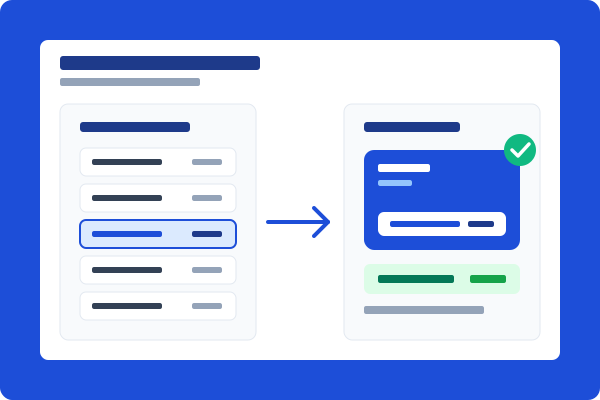
Your codes carry over, so cards keep working
Add a Code column to your import file and BatchCard creates each Shopify gift card with the exact code your customer is already holding. Any code with 8 to 20 letters and numbers imports as-is, which covers Square's 16-digit numbers and most Toast, Lightspeed, and Clover codes. A code outside that range cannot be preserved, so BatchCard flags it in the validation results before any card is created. You fix that code and re-import, or re-import the card without a code to get a new one and give that customer the new code.

Balances import as the current remaining value
Map your export's remaining-balance column to Value and each card lands in Shopify with exactly what the customer has left to spend. A card that started at $50 with $12 left imports as $12, not $50, so your gift card liability stays accurate from day one.

How It Works
Export from your current platform
Download the gift card CSV from Square, Toast, Lightspeed, or Clover. The migration guides show where each export lives and which balance column to use.
Deactivate the old cards
Freeze or deactivate cards on the old platform first, so a card cannot be redeemed on both systems during the switch.
Map Code and Value in BatchCard
Upload the file, map the code column to Code and the remaining balance to Value, and review the validation results before anything is created.
Create the batch
BatchCard creates the cards in your Shopify store and captures every code. Imports run without emailing customers unless you turn notifications on.
Frequently Asked Questions
- Which platforms can I migrate gift cards from?
- Any platform that can export gift cards to CSV or XLSX. BatchCard has step-by-step guides for Square, Toast, Lightspeed, and Clover, and the same Code and Value mapping works for exports from other platforms too.
- Do my customers keep their existing codes?
- Yes, when the code fits Shopify's format of 8 to 20 letters and numbers. Square's 16-digit numbers carry over unchanged, and most Toast, Lightspeed, and Clover codes fit too. A code outside that range cannot be preserved, so BatchCard flags it before any card is created; you re-import that card without a code to get a new one and give that customer the new code.
- Does the original value or the remaining balance carry over?
- The remaining balance. You map your export's current-balance column to Value, so each card imports with what the customer actually has left to spend and your gift card liability stays accurate.
- Will customers get emailed during the import?
- Not unless you choose to. Migration imports can run silently, so customers simply keep using the cards they already have. You can also turn on delivery emails if you want each recipient notified.
- Which plans include migration?
- Migration uses CSV/XLSX import, included on Starter ($4.99/mo) and above. A single import accepts up to 10,000 rows, the same on every plan. Your monthly card allowance (500 cards on Starter, 2,500 on Pro, unlimited on Business) applies separately.
Related Features
Bulk Creation
Create hundreds or thousands of gift cards in a single batch. Set values, quantities, and expiration dates all at once.
Learn moreCSV/XLSX Import & Export
Import gift card data from CSV or XLSX files. Export batches for record-keeping and external processing.
Learn moreEmail Delivery
Starter+Deliver gift cards to recipients via Shopify's built-in email notification. Track delivery status for every recipient.
Learn moreReady to try Gift Card Migration?
Install free on Shopify and start creating gift cards in minutes.
Install Free on Shopify